Git & GitHub Interactive Learning Platform
Interactive Git Pipeline Simulator
Execute or click commands to see in real-time how Git manages files across the Workspace, Staging Area, Local Repository, and Remote GitHub Repository.
Commands Panel
Click a command below to execute it in the simulator:
Visual Pipeline State
Workspace
Your local working files.
Staging Area
Files prepared for commit.
Local Repo
Committed snapshots history.
GitHub (Remote)
Shared online code storage.
Click
git init to initialize a new git repository in your project directory. This creates a hidden .git folder and starts tracking your files.
Visual Guide Series
High-end diagrams and interactive walkthroughs explaining how GitHub works for modern application development teams.
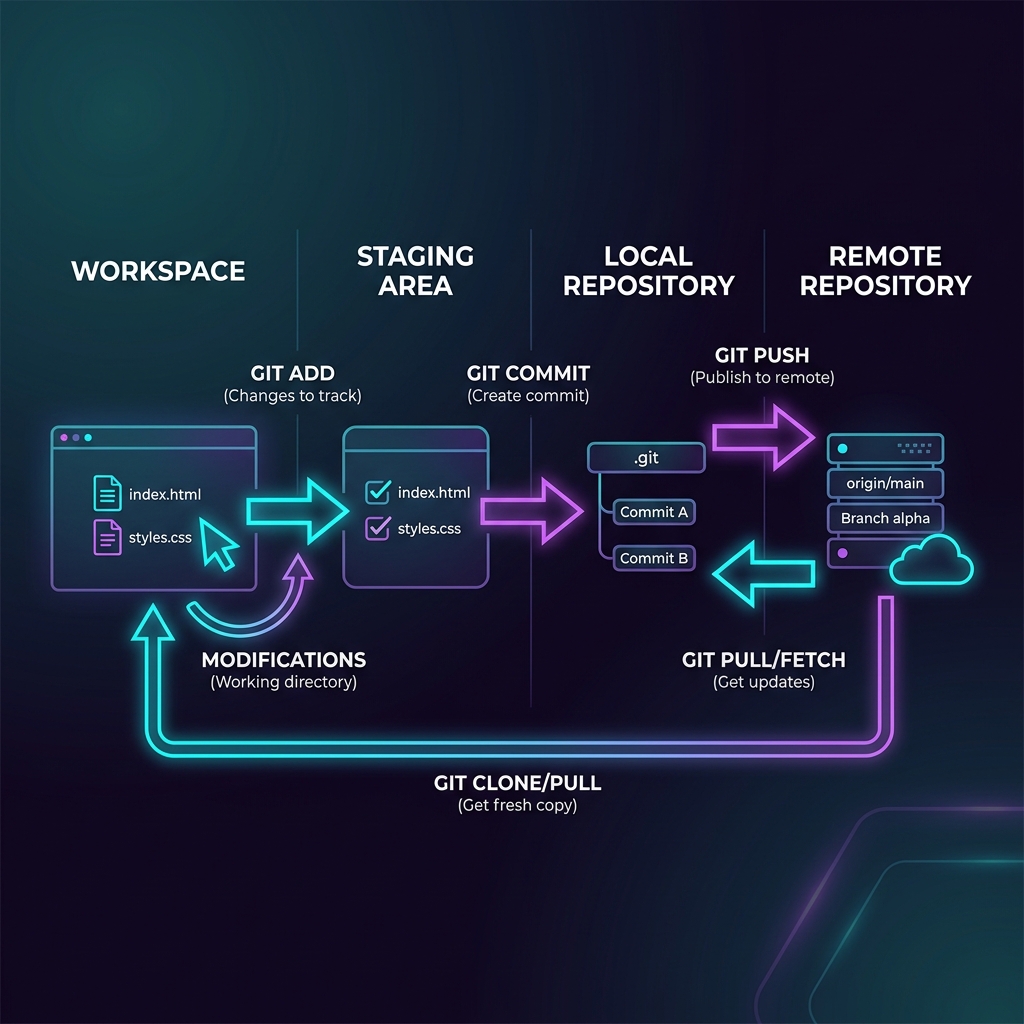
Git Lifecycle Explained
Understand the boundary between your computer and GitHub. Local edits happen in the Workspace, index records them in the Staging Area, commits store snapshots in Local Repo, and pushes sync them to GitHub.
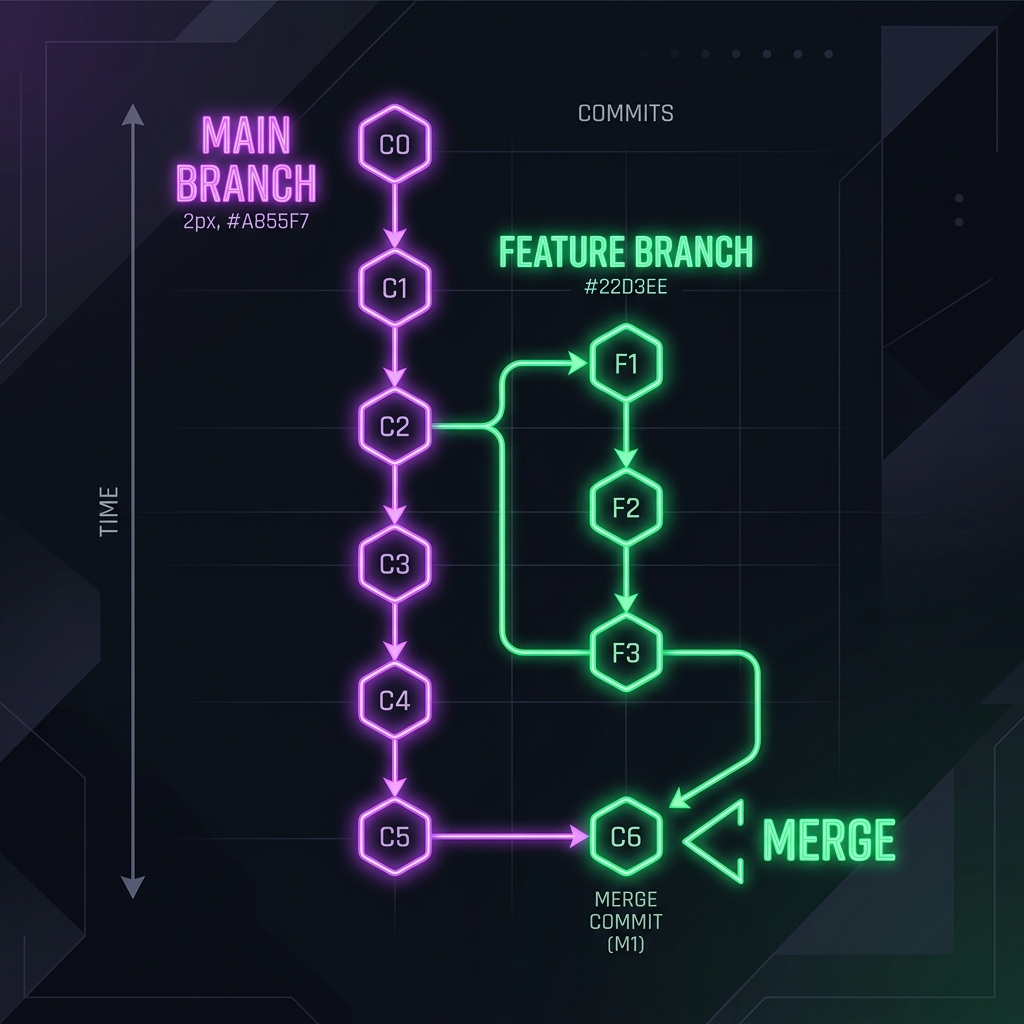
Branching Strategies
Never work directly on the main branch! Learn how feature branching allows developers to write code isolation, resolve features safely, and avoid code conflicts when building complex web platforms.
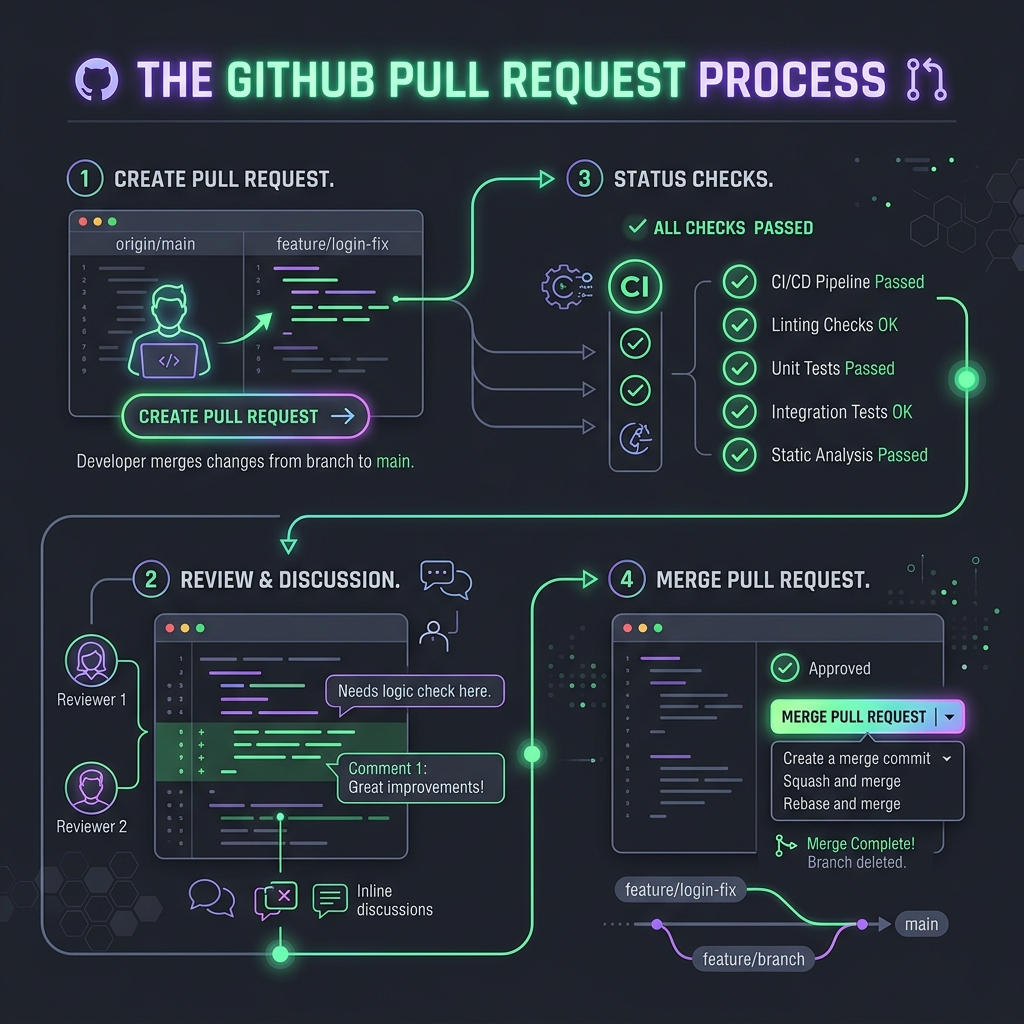
The Power of Pull Requests
Discover the collaborative core of GitHub. Opening a Pull Request invites feedback, initiates automated checks, triggers review discussions, and guarantees quality before code gets merged.
GitHub Best Practices
Incorporate industry standards into your development workflow to write clean commits, build solid pull requests, and maintain stable deployments.
1. Commit Early, Commit Often
Do not wait until the entire feature is done. Small, descriptive commits make it incredibly easy to track down bugs, roll back changes, and share clean code checkpoints with teammates.
2. Write Descriptive Commit Messages
Use the imperative mood (e.g., "Add login form" instead of "Added login form"). Standardize formatting, starting commits with descriptive prefixes like feat:, fix:, docs:, or refactor:.
3. Keep Main Branch Stable
The main branch is production-ready code. Use GitHub branch protection rules to block direct pushes, require code reviews from peers, and mandate that automated test suites pass before merging.
Interactive Cheat Sheet
Filter common commands for quick copy-paste references:
Knowledge Check Quiz
Test your understanding of Git lifecycle, branching, and team collaboration. Earn your GitHub Proficiency Badge by scoring 80% or higher.
Ready to test your Git knowledge?
You'll face 5 questions about Git commands, branching flows, and collaboration best practices.